
Way of the Hunter 2 known issues after launch: the demo config fix for broken resolution settings, plus how to report a bug.
Way of the Hunter 2 Bugs: Known Issues and How to Report Them
One launch-day problem has an official fix you can apply in thirty seconds: wrong resolution options, broken UI numbers or scaling, and stray graphical particles all come from config files the Demo left behind, and deleting one folder clears them. Everything else is either already on the developer's known-issues list, where no report is wanted, or genuinely new — which belongs in THQ Nordic's Redmine bug database with a zipped save attached. Verified 2026-10-03 against build 1.1.212672.
Symptom triage: what to do first
| What you see | What it is | Do this |
|---|---|---|
| Wrong resolution options, broken UI scaling, stray graphical particles | Demo config files carried into 1.0 | Delete the Config folder only, from %LocalAppData%\WOTH2\Saved |
| Animals frozen in a cluster, or staring at you after a non-fatal hit | Fixed before launch, three separate bugs | Cull any group still stuck; do not report |
| Game freezes when opening the hunting map | Fixed in Update 0.4.0 | Update, do not report |
| Snow artefacts with TSR or TAAU, no tracks in fallen snow | Still open | No workaround; drop the quality preset |
| FSR antialiasing does nothing | Still open | Set TSR first, then switch to FSR |
| Multiplayer desync, client animals vanishing, locked save after an early invite | Still open | Workarounds in the table below |
| Ammo numbers wrong in Shop or Storage | Partly fixed in 1.1 | Three readouts still open, listed below |
Three ammo readouts survived 1.1, which fixed four other calibers: the Accuracy stat is missing for slugs, bolts and arrows, actual recoil is lower than listed for .308 Winchester (Grande Swift), and higher than listed for 12 Gauge (Rapid Buckshot).
The Demo Config fix for broken resolution and UI scaling
This is the only entry in the developer's FAQ that is a fix rather than a workaround.
- Close the game completely, not just the window.
- Press the Windows key plus R.
- Paste
%LocalAppData%\WOTH2\Savedand press Enter. - Delete the folder named
Config. Nothing else. - Start the game. New config files generate themselves on the next launch.
The FAQ says delete the folder called "Config" only, not your save files. Both live in the same directory, and a misplaced delete wipes your world, trophies and lodge. If the symptoms survive step 4, the config was not the cause — report it instead.
One conflict to know about: the older Steam pinned "Known issues" thread tells players to press CTRL + R and delete "the entire file called Config". The current FAQ, dated 29 September 2026, uses the Windows key + R. Follow the FAQ, and note the path is PC-only, so console players never hit this.
Official source: Way of the Hunter 2: FAQ — Nine Rocks Games — "this is likely caused by old Demo config files carrying over... delete the folder called 'Config' only (not your save files)".
Animals frozen: three bugs on three dates
"Animals frozen" is one search phrase covering unrelated bugs, so the answer depends on when you hit it.
| Symptom | Status | Entry |
|---|---|---|
| Groups of animals frozen across the map, causing frame drops | Fixed | 15 Apr 2026, build 0.0.1 (188484), shipped as a potential fix that tells you to cull leftover groups because they should not return |
| Same clustering bug, closed properly | Fixed | 28 Apr 2026, Update 1 (190882) |
| Animal keeps staring at a threat after a non-fatal hit while alert | Fixed | 22 Sep 2026, Update 0.5.0 |
| Game freezes opening the hunting map | Fixed | 13 Aug 2026, Update 0.4.0 |
| Client cannot hear animals, or hits moving animals unreliably | Still open | Known-issues list, client-side only |
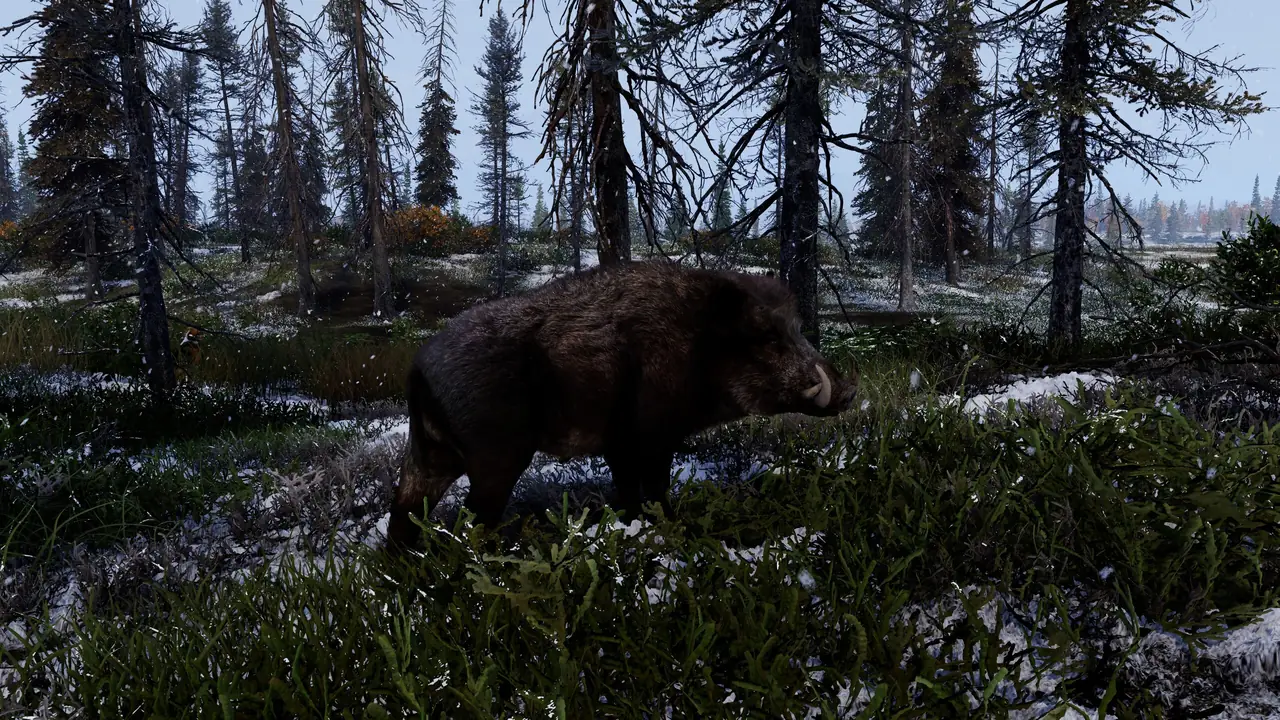
What survives from the old AI work is narrower: a hunting-map freeze, client-only audio and hit registration, vehicle damage to animals not registering consistently, and droppings and footprints invisible in fallen snow. The pinned Steam thread is explicit that issues already with QA and development need no bug report.
Crashes and frame drops, platform by platform
| Platform | Open issue | Workaround |
|---|---|---|
| Xbox Series X|S | Crash in memory-heavy scenes such as a lodge full of dioramas | None published |
| Xbox Series X|S | Inventory may clear after fast travel in co-op | None published |
| PlayStation 5 | Player stuck after harvesting with a Primos stick | None published |
| PlayStation 5 | Performance Mode renders the mountain see-through near Sasquatch Lake | Use Quality mode |
| PC | FSR antialiasing may not take effect | Set TSR first, then FSR |
| PC | Frame drops in certain locations at sunset | None published |
| Any, co-op | Crash caused by the host using the Buffden Apex Predator | Host avoids that weapon |
PC crash reports need evidence, not description: dxdiag alongside the save whenever the report covers performance, graphics or crashing. On a handheld, crashes are expected rather than actionable, because Steam Deck is not officially supported — see the Steam Deck page.
Three multiplayer entries have a published workaround, one does not:
| Open multiplayer issue | Workaround |
|---|---|
| Temporary desync in certain situations | Close the distance to the host, or wait briefly |
| Doors and parking signs cannot be interacted with | Reconnect to the session |
| Joining by invite before finishing the tutorial locks the save | Delete the save files, then finish the tutorial first |
| Client animals disappearing while the host is far away | None listed |
How to report a bug on THQN Redmine
Tickets go to the Way of the Hunter 2 community project at bugreporting.thqnordic.com. The developer's pinned thread lists what each field wants.
| Field | What to give them |
|---|---|
| Platform | Steam, or the console you are actually on |
| Reproducible | Unknown, sometimes, or always |
| Seriousness | Minor, major, or crash |
| Where | Which map or menu |
| Headline | One sentence |
| Description | What you were doing right before, and whether it needs conditions |
| Game version | Bottom-right corner of the screen |
| Evidence | Screenshot or video wherever possible |
| Save file | Zipped Saved folder, PC only |
| dxdiag | PC only, for performance, graphics or crash reports |
Files attach through the Browse button at the bottom of the ticket; to add detail later, open the ticket URL, click Edit, type into Notes and submit.
The developer confirms that Xbox Live sign-in can trigger an error on the bug database. Until it is resolved, use a different platform account and name the platform you actually play on in the ticket title.
What to attach, and where it lives on PC
| Item | Windows shortcut | Where it saves |
|---|---|---|
| Save folder and logs | Windows key + R, paste %LocalAppData%\WOTH2\Saved, then Send to > Compressed (Zipped) folder |
Your desktop |
| dxdiag | Windows key + R, type dxdiag, run, then Save all information |
Anywhere accessible |
| Screenshot / video | Windows key + Print Screen / Windows key + Alt + R | Pictures/Screenshots and Documents/Videos/Captures |
The save folder is the directory the Demo config fix deletes from, so zip it before you clear Config.
Purchase problems that look like bugs
Missing Season Pass content or a DLC that never appears runs down a fixed ladder, and the Redmine ticket is the last step.
| Step | Do this | Where |
|---|---|---|
| 0 | Redeem the code if you have one, and check both outside and inside the game | Store library and in game |
| 1 | Restart the game completely, not just reloading a save | On your own |
| 2 | Make sure you are fully up to date with the latest game version | On your own |
| 3 | Contact the platform you purchased from | Sony, Microsoft or Steam support |
| 4 | Open a bug report only if the retailer cannot help | THQN Redmine |
| The report must include | Detail |
|---|---|
| Platform | The platform you bought on and play on |
| Purchase type | Whether you purchased digitally or physically |
| Purchase receipt | If you have it |
| What you already tried | The steps above, so nobody repeats them |
Official source: Way of the Hunter 2: FAQ — Nine Rocks Games — "we'd recommend first contacting the platform you purchased from... If they're not able to help, please reach out to us via our bug reporting tool".
Edition contents are on the price and editions page.
Where the patch notes and known issues actually live
| Document | Where | State on 2026-10-03 |
|---|---|---|
| Update 1.0 notes (Version 212045) | Embedded in the Steam launch post "Take the Shot" | Live, 29 Sep 2026 |
| Known-issues list | Nine Rocks known issues page | Heading says Version 1.1, datestamp still says 29 Sep 2026, opening paragraph still says 1.0 |
| Update 1.1 notes (Version 212672) | Developer blog and Steam news | Blog 30 Sep 2026, Steam 1 Oct 2026 |
| Reporting instructions | Pinned Steam thread, Tech Support & Bugs | Live, last edited 9 Sep 2026 |
The list runs to 24 open entries, 26 bullet lines once the ammo entry splits into two sub-lines, across Multiplayer, Performance, Environment, Snow and Other.
One trap when searching the launch announcement: its closing line offers "[Patch notes link]" and "[Known issues link]", both shipped as unrendered placeholders. The same post links the known-issues page and bug database correctly, so nothing is unreachable — the full Update 1.1 breakdown is here, including what it left open.
Do not report these, and where to talk instead
The pinned Steam routing thread is unambiguous: issues already on the list are with QA and development, and no report is necessary. Use the Tech Support & Bugs subforum for hardware trouble, a game that will not launch, and hunting for a temporary workaround — but file the ticket first, because the save file and dxdiag are what let the team reproduce anything. Bug posts in the General forum move to Tech Support & Bugs after a one-hour redirect period.
Two co-op behaviours also cause avoidable reports: single-player and multiplayer use separate worlds, and multiplayer sessions are not synced across sessions yet. The multiplayer guide covers both.
FAQ
Do I need to have played the Demo for the resolution fix to apply? No. The Demo files are the cause, so players who never installed it are unaffected.
Will deleting the Config folder delete my progress? Only if you delete the wrong folder: Config holds settings, Saves holds your world.
Is "animals frozen" still in the game? The three old freezing bugs closed on 15 April, 28 April and 22 September 2026. What remains is client-only animal audio and hit registration in co-op, plus tracks invisible in fallen snow.
Should I report something already on the known-issues list? No. Those are with QA and development; add your experience to the relevant thread instead.
Related
More Way of the Hunter 2 Guides
Kilimaya Reserve in Way of the Hunter 2: the 100 km2 Africa map, its 13 species, which predators can charge you, and how to hunt hippo and buffalo safely.
All 3 Way of the Hunter 2 maps with exact sizes: New Laurentia and Kilimaya at 100 km2 each, Hearth & Hunt at 16 km2. What each holds.
How to play co-op in Way of the Hunter 2: how to invite a friend, open a lobby, join a session, and the 2-player limit that trips people up at launch.
New Laurentia in Way of the Hunter 2: the 100 km2 North America map, its 15 species, elk and moose behaviour, need zones, tracks and hunting pressure.
Way of the Hunter 2 update 1.1 summary: weather forecast, inverted look, controller deadzone fixes, what is still broken, and how to report bugs.
Way of the Hunter 2 costs $39.99 or $59.99 deluxe. What the 8-DLC Season Pass adds, what Heirloom Pack includes, and how game 1 owners save.
Way of the Hunter 2 Season Pass: 8 DLCs in year one, $34.99, release window, what is inside right now, and the three statues that prove it worked.
Way of the Hunter 2 on Steam Deck: the developer says it is not officially supported. What happens when you try, and whether it is worth it.